

How to add Product Bundles in Invent ERP?
How to add Product Bundles in Invent ERP?
Product Bundles is an effective strategy to improve average order size, provide value to customers, and expedite the sales process. With Invent ERP's Product Bundle feature, users can combine many items into one single bundle, assign special prices and make it available in Point of Sales.
Step-by-Step Process
Step 1: Navigate to Product Bundles
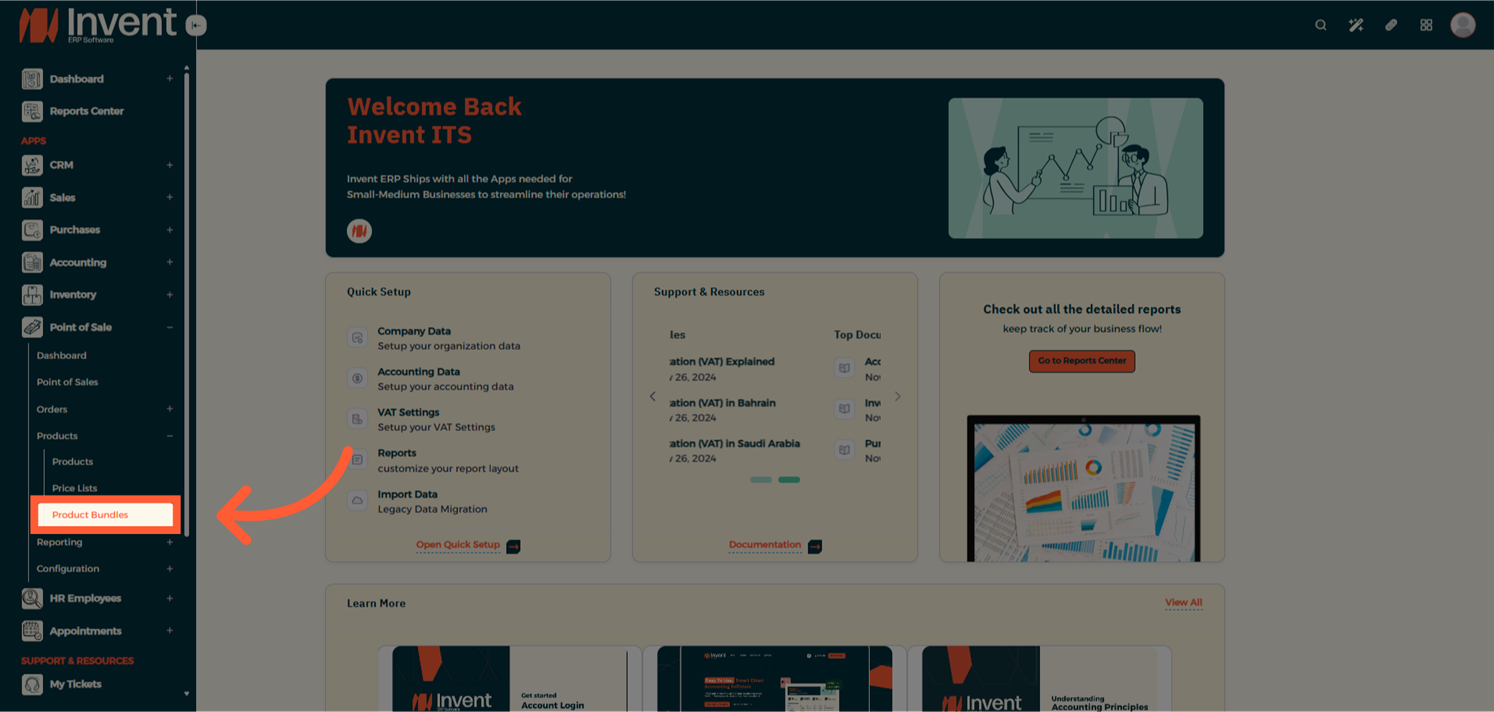
Step 2: Add a New Bundle
From the Product Bundles List Page, click on Add to create a new bundle.
- Name: Give your bundle a clear and descriptive title.
- Products: Add multiple products to the bundle.
- Pricing: Review the original price of each item and set bundle-specific pricing if needed.
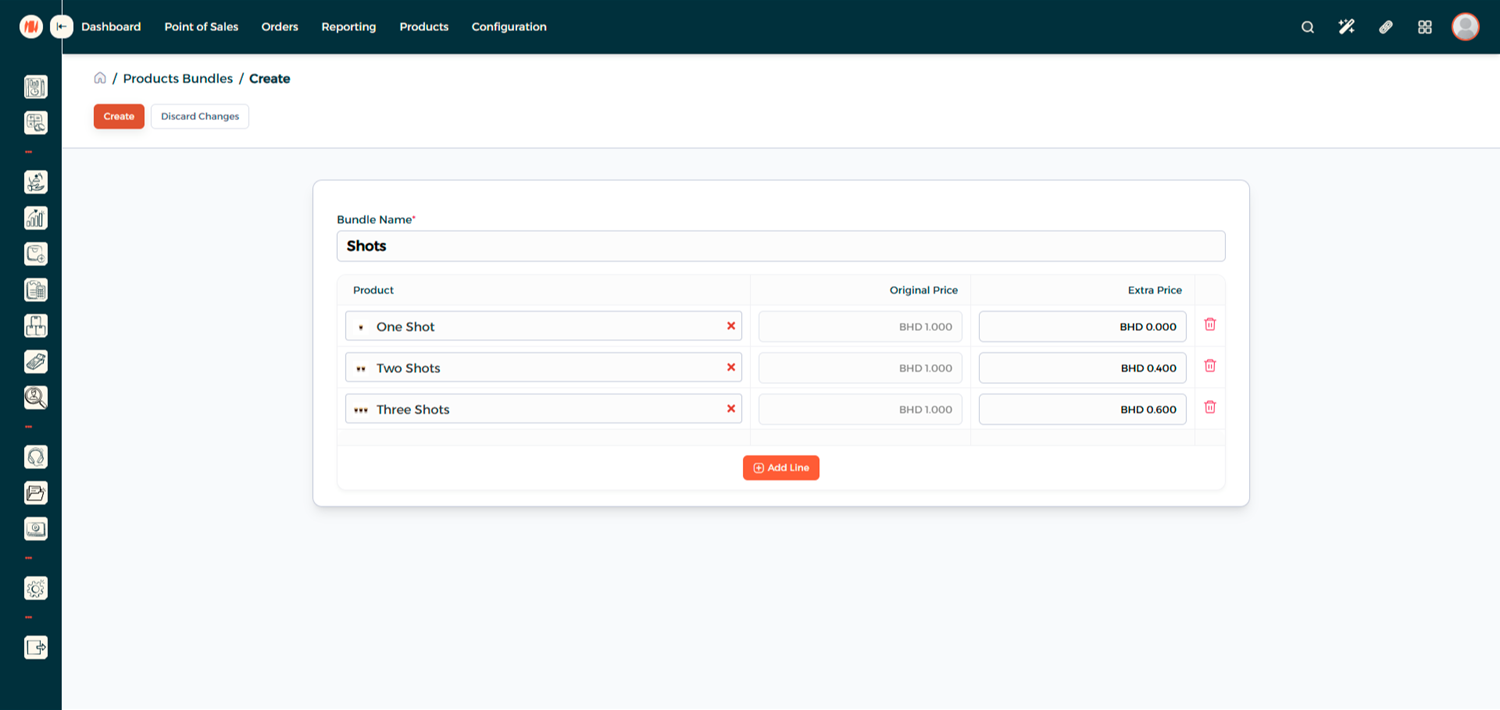
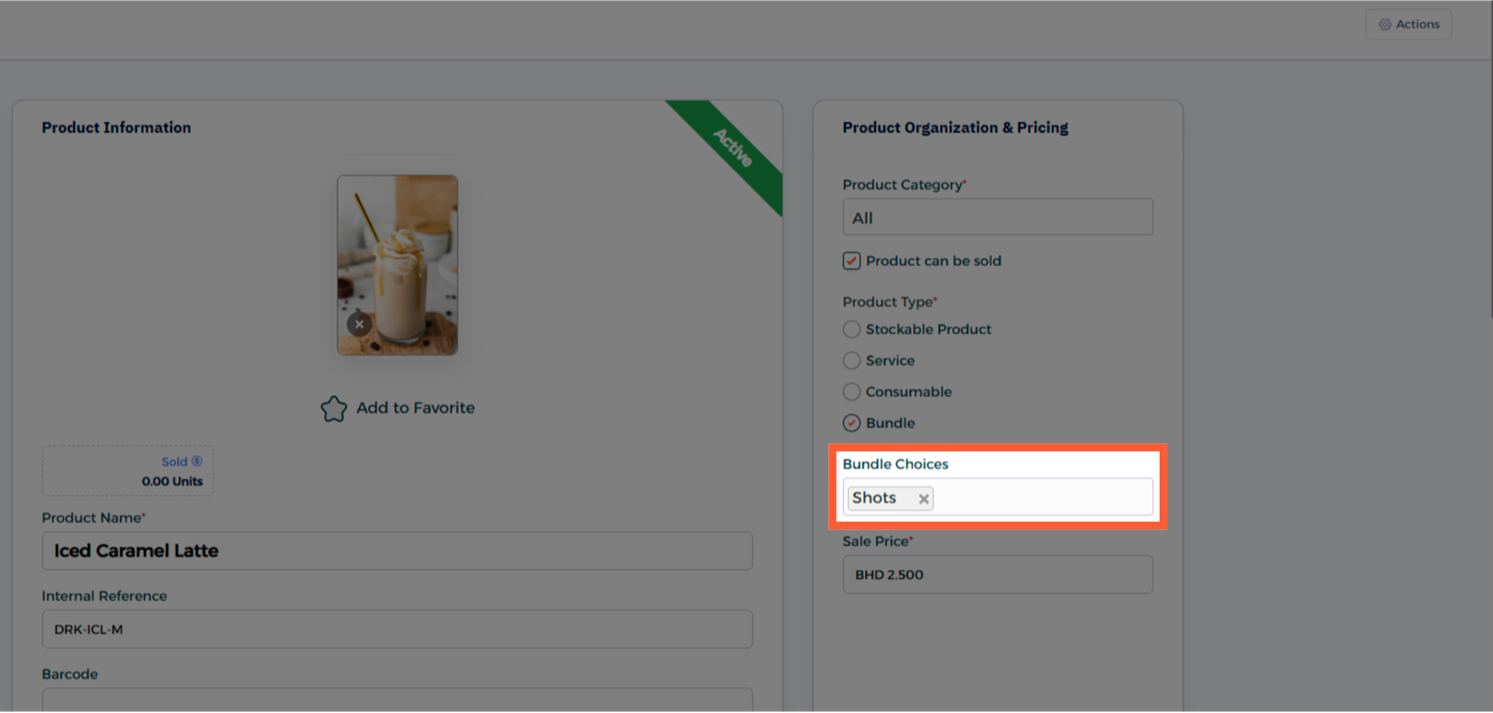
Step 3: Link the Bundle to a Product
From the Product Page, open the product you'd like to associate with the bundle, or you can add a new product Read More
In the Bundle Choices select the bundle you just created and click Save.
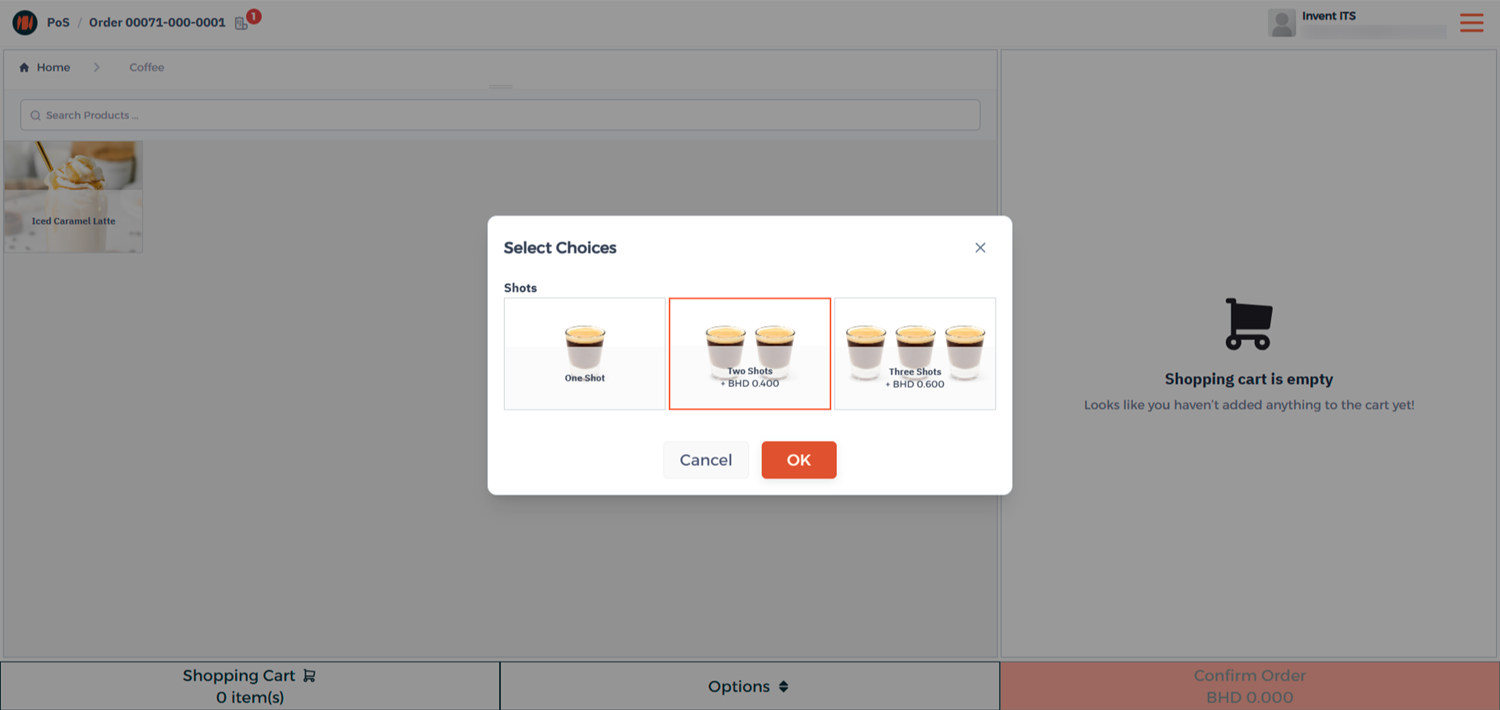
Step 4: Use the Product in POS
Now, head to your Point of Sale session.
When you add the product linked to your bundle, you'll see the bundle options appear automatically.
Select the desired item in your bundle, complete the order, and process payment as usual.
Notes & Tips
- Use clear and simple bundle names
- Adding attractive visuals for your bundle helps it stand out in the POS screen and improves recognition.
- You can update or replace products in an existing bundle if your offering changes without recreating it form scratch.
Frequently Asked Questions (FAQ)
Q: Can a product be part of more than one bundle?
A: Yes, a product can be included in multiple bundles.
Q: Can I offer discounts on products with bundle items?
A: Yes, you can adjust bundle prices manually or apply discount on your order
Q: Are Products Bundles available only in POS?
A: Yes, product bundles are designed specifically for use within the POS module to simplify and speed up the sales process.
Q: Can I edit or delete a Product Bundle after creation?
A: Yes, you can always return to the Product Bundles list to modify or remove bundle at any time.
Q: Will the bundle item name appear on the receipt or invoice?
A: Yes, the order will include all the bundle items added to the product, and they will appear clearly on the printed receipt or invoice.